Aussie-Shop
Home > UX Design > Aussie-Shop
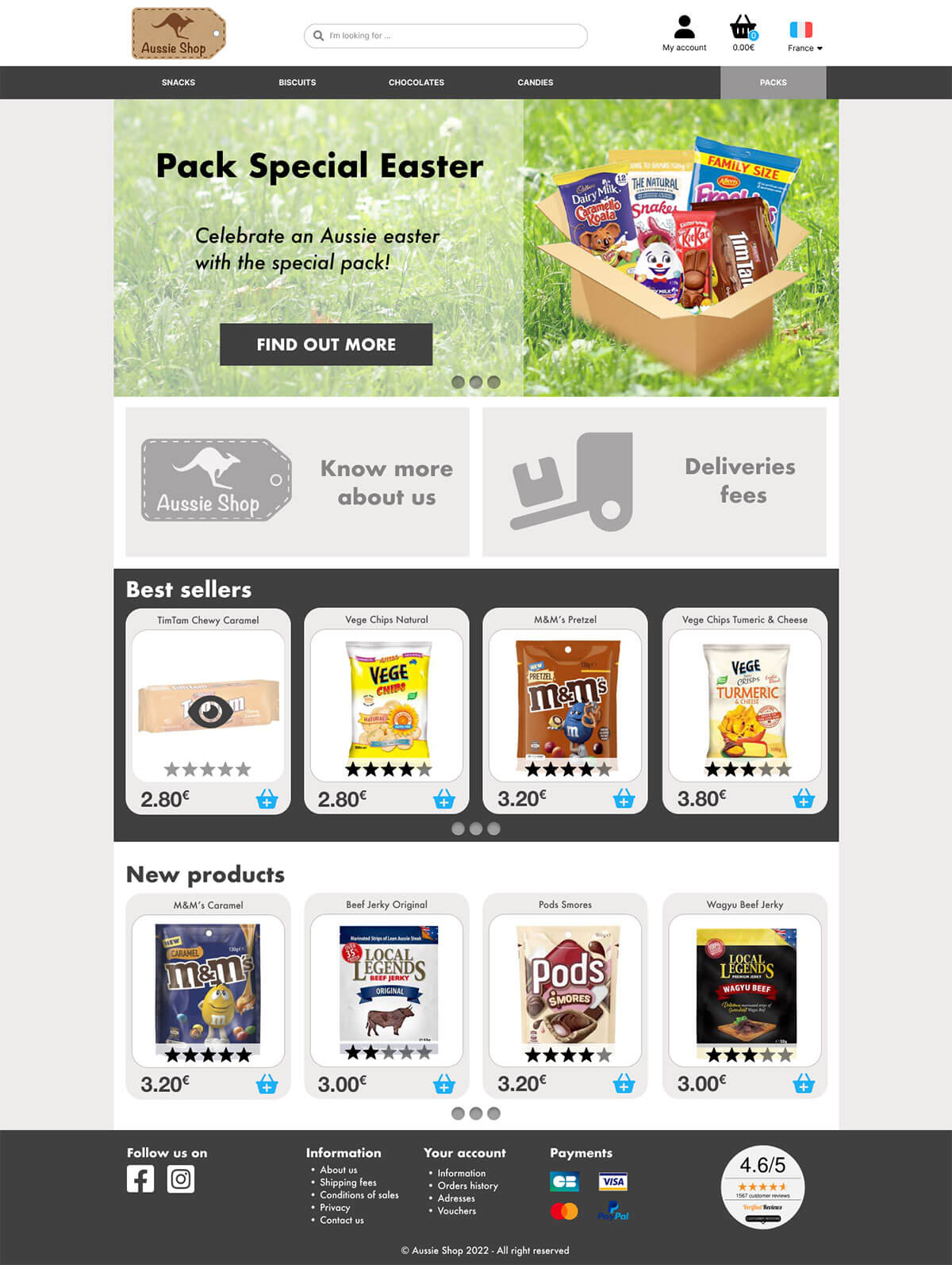
Desktop Homepage mockup
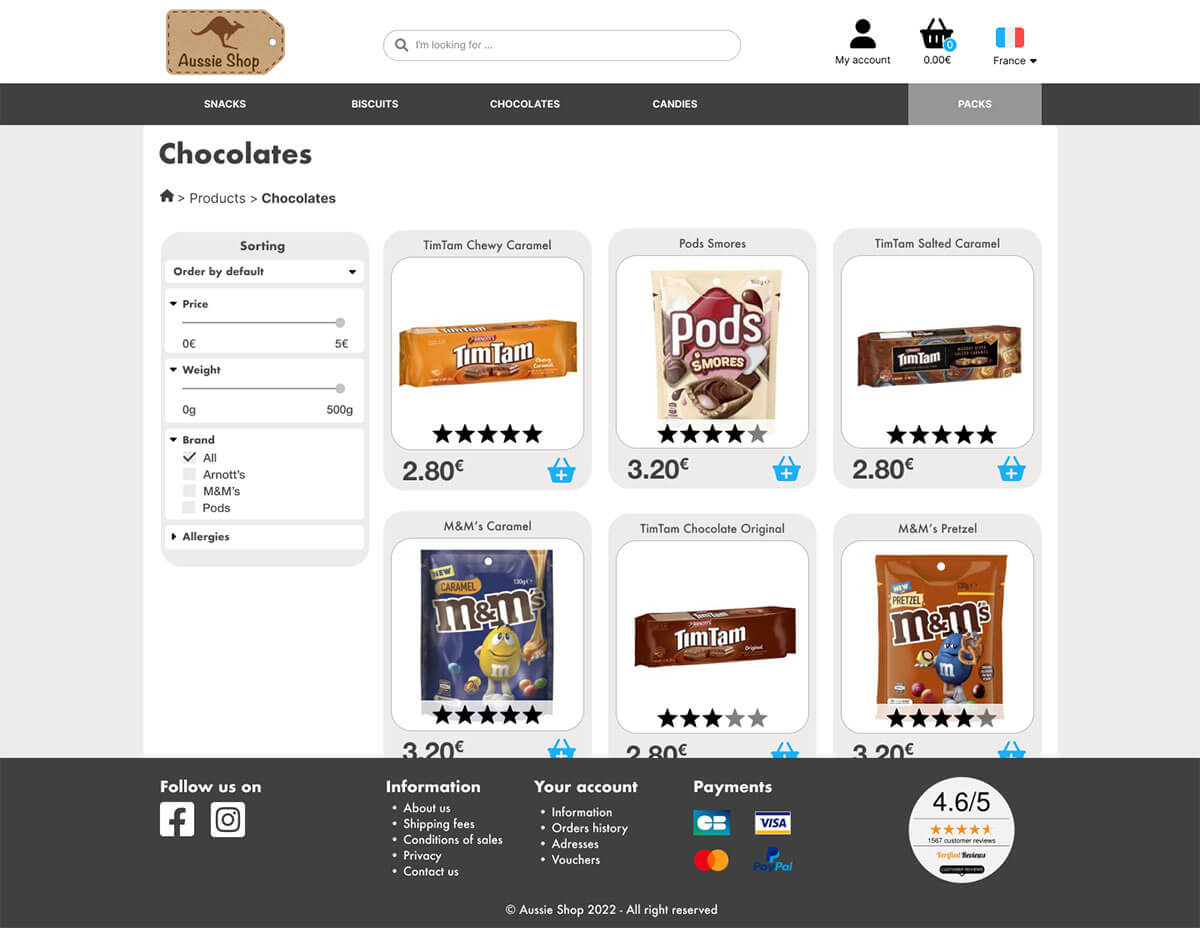
Desktop category page mockup
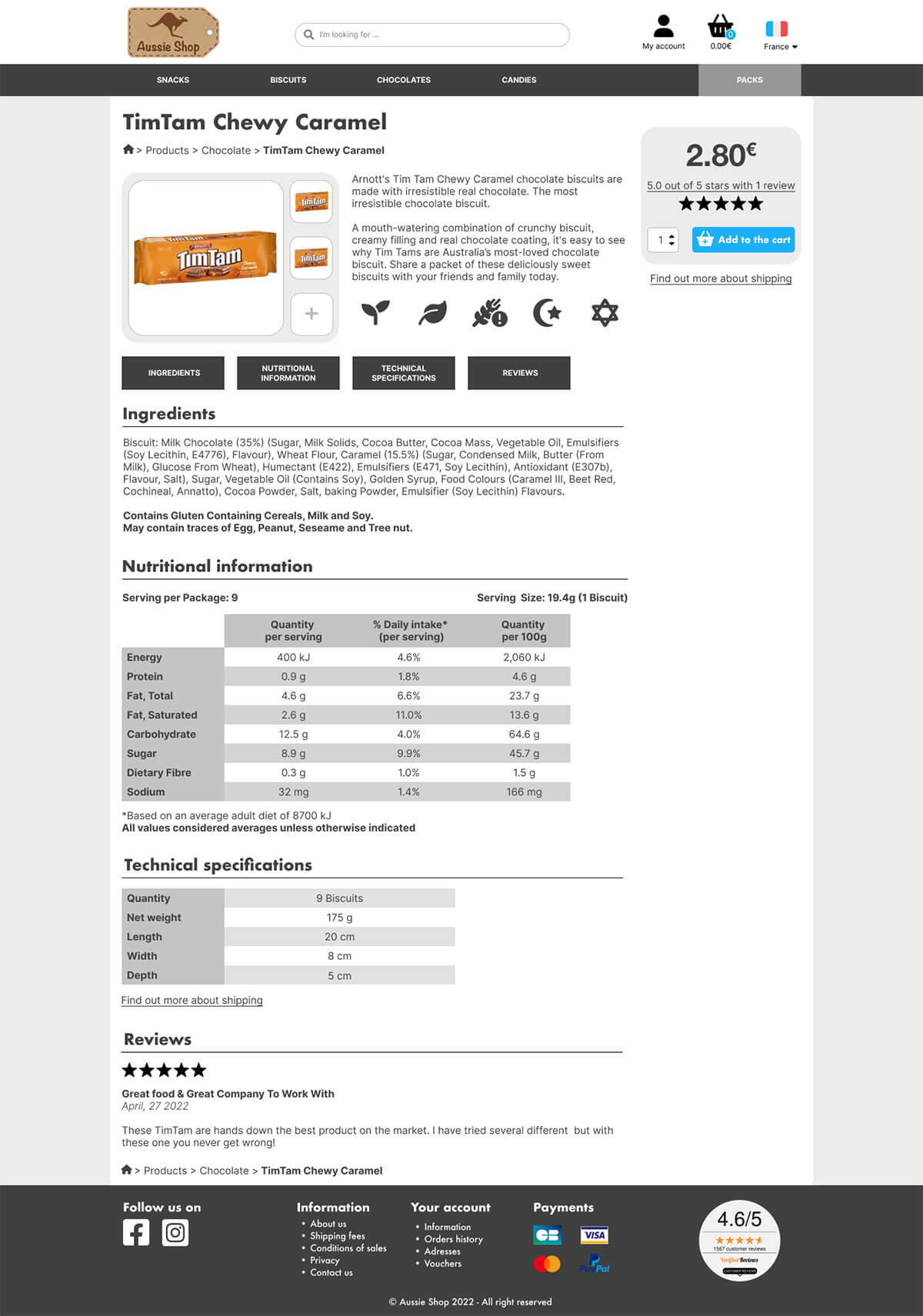
Desktop product page mockup
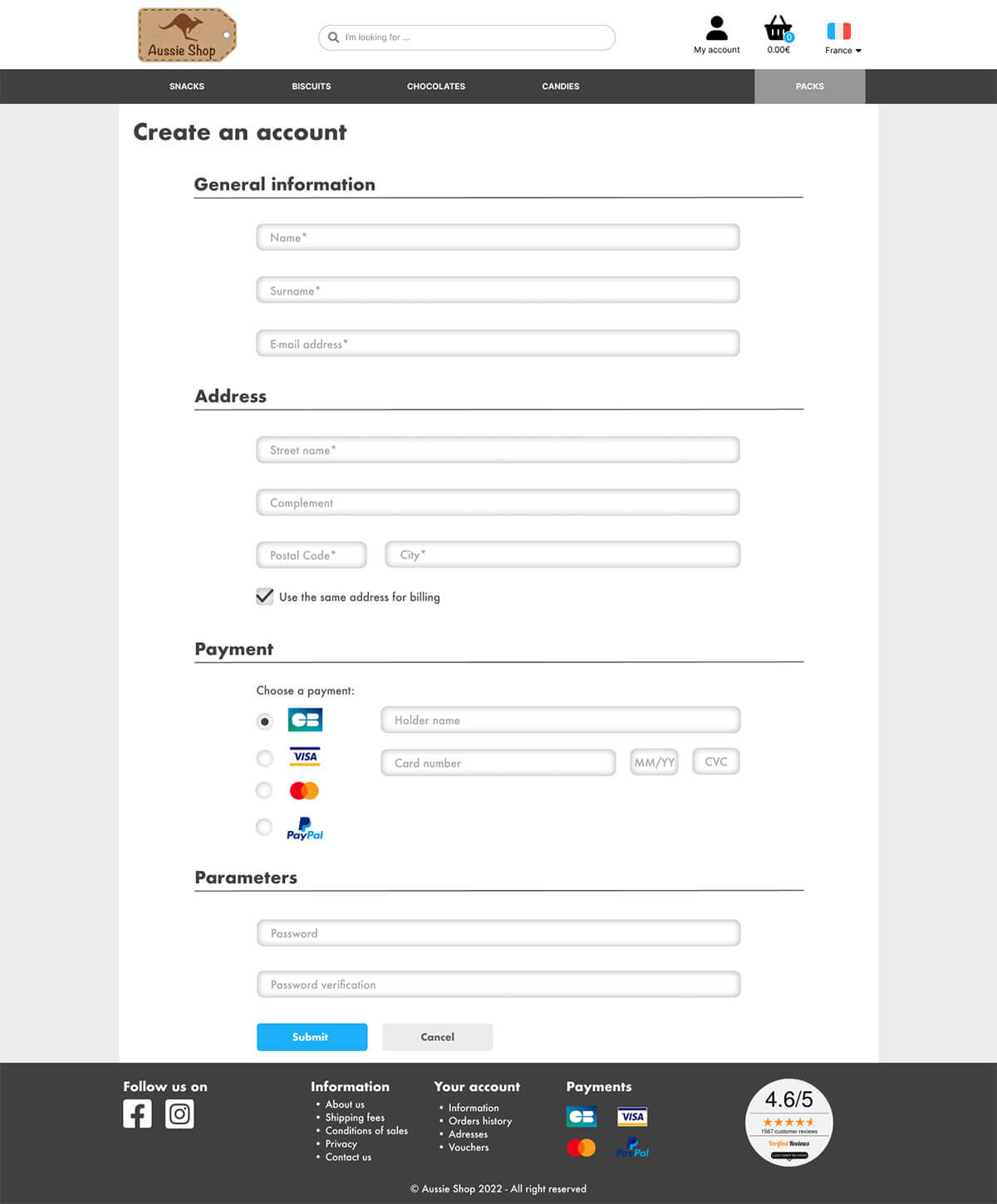
Desktop version of create an account page
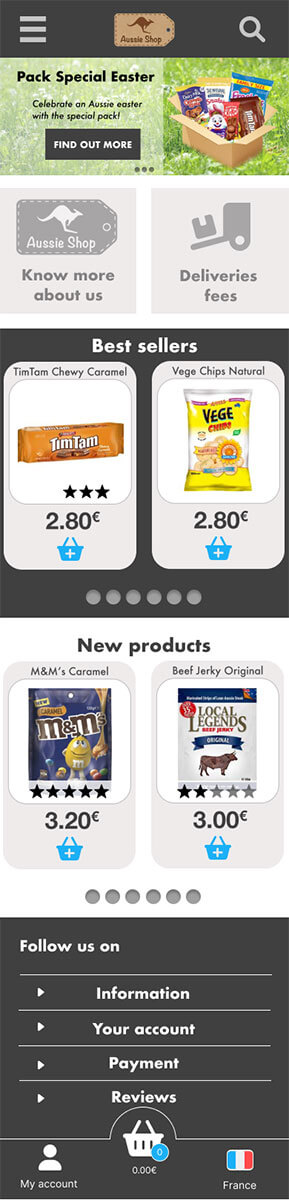
Mobile Homepage mockup
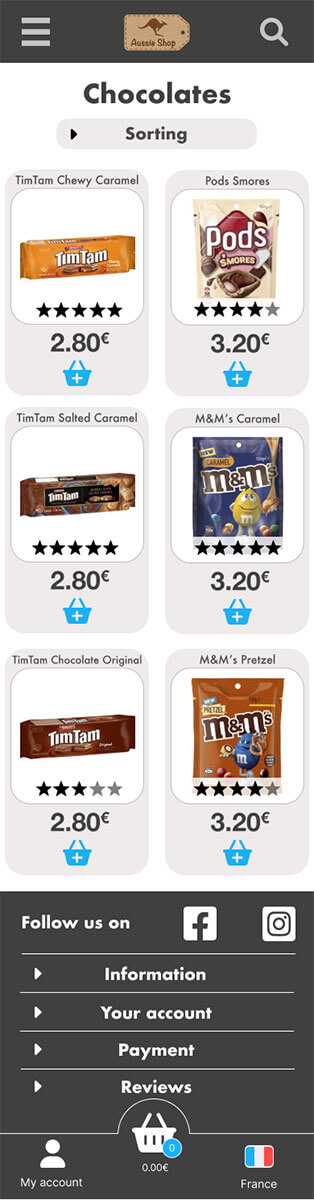
Mobile category page mockup
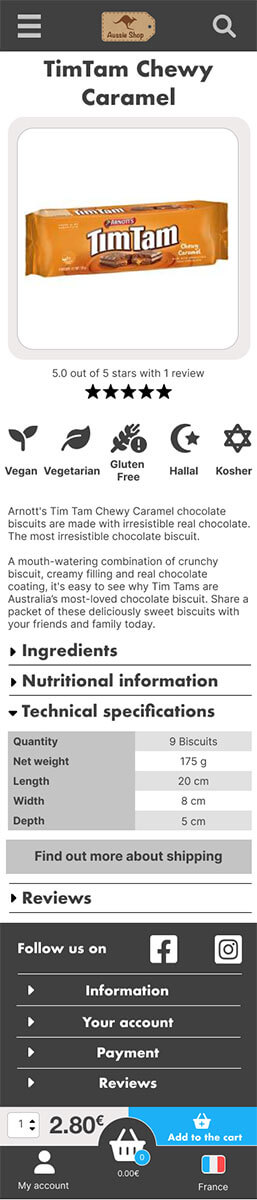
Mobile product page mockup
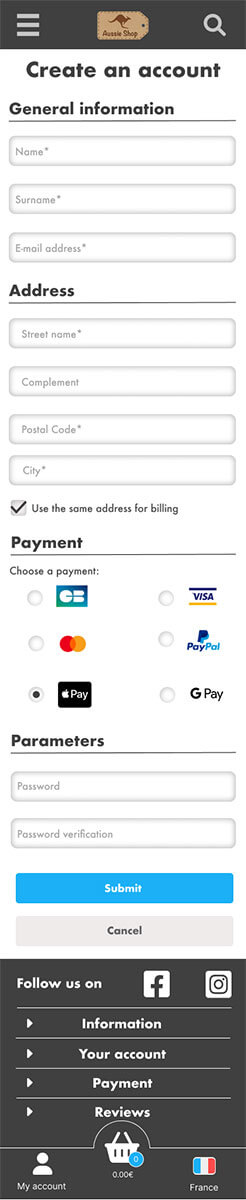
Mobile version of create an account page
Overview
Introduction
It is often tough to return to your home nation after experiencing life in another country. You always think back on your time there and feel sentimental about it. Furthermore, you are an expatriate living far away from your native country and may experience homesickness from time to time. One of the best ways to recall a nation and all the good times you had there is through food; taste and memory are inextricably linked.
Previously
The previous study's survey revealed a fairly clear picture of what customers expect to find in an e-shop. After then, the design will be directed in this manner and will correspond to the following outcomes:
- Large choice of categories
- Search bar always visible
- Shopping cart always visible
- Slider on the homepage
- Have an infinite scroll in product pages
- See all informations on a product sheets
- Have at least a mobile and desktop design
Sitemap
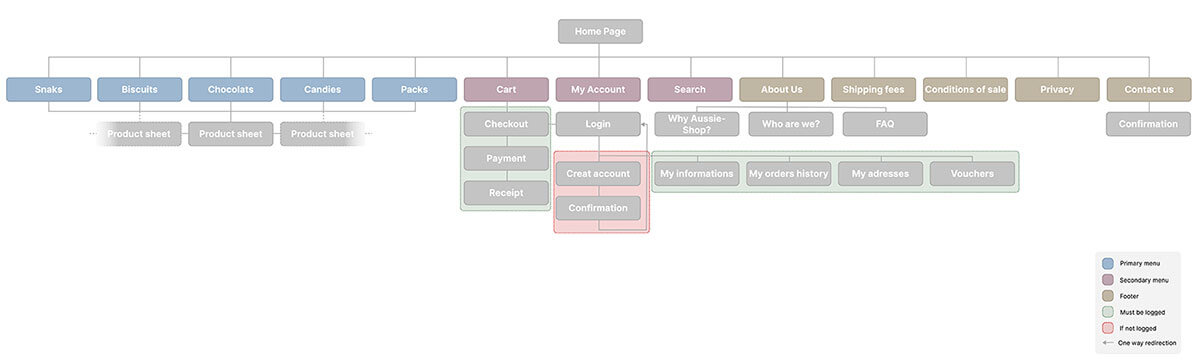
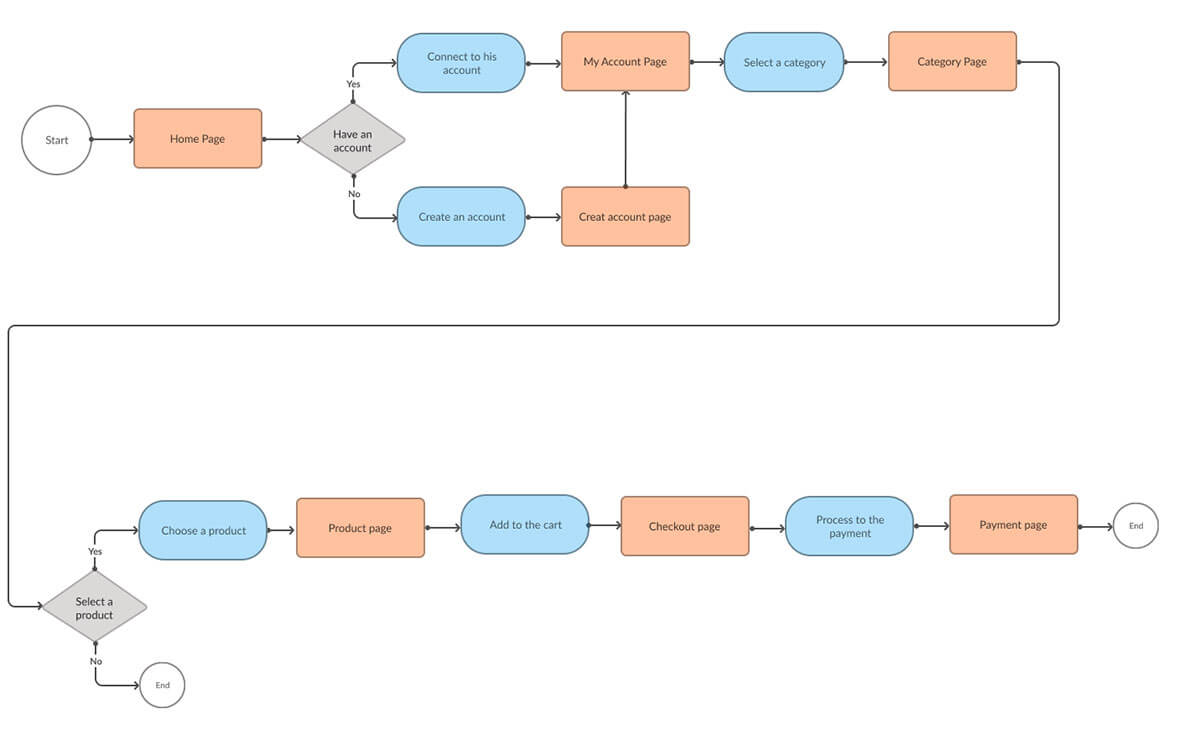
User journey
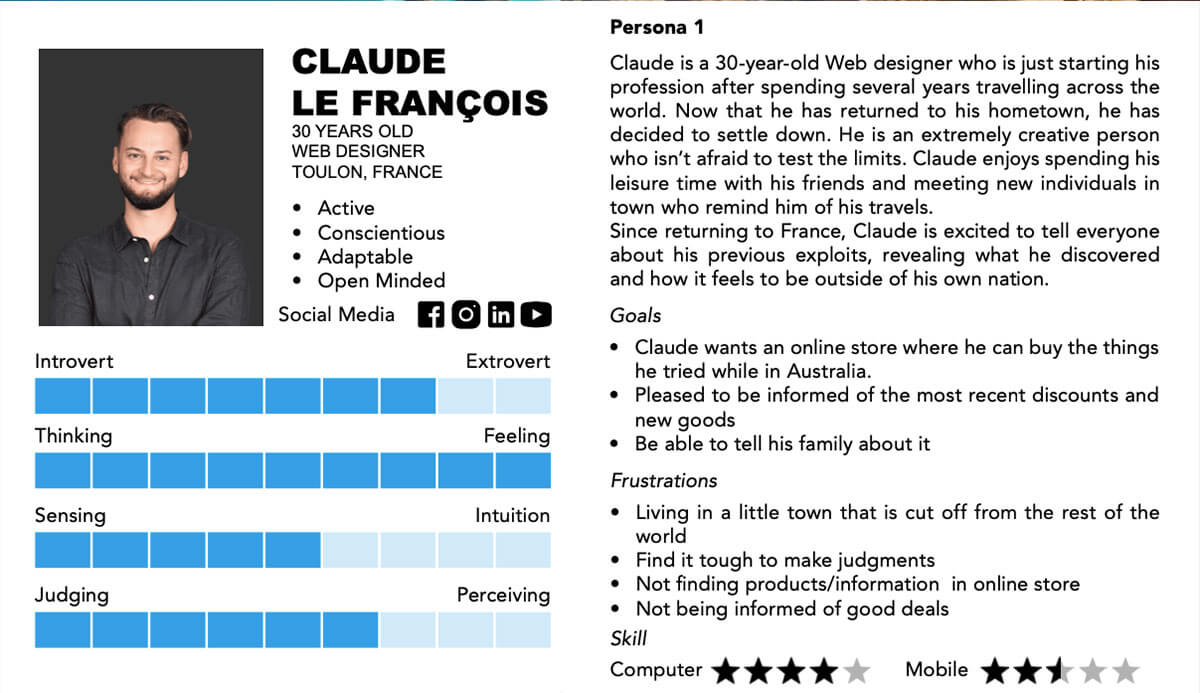
Persona 1
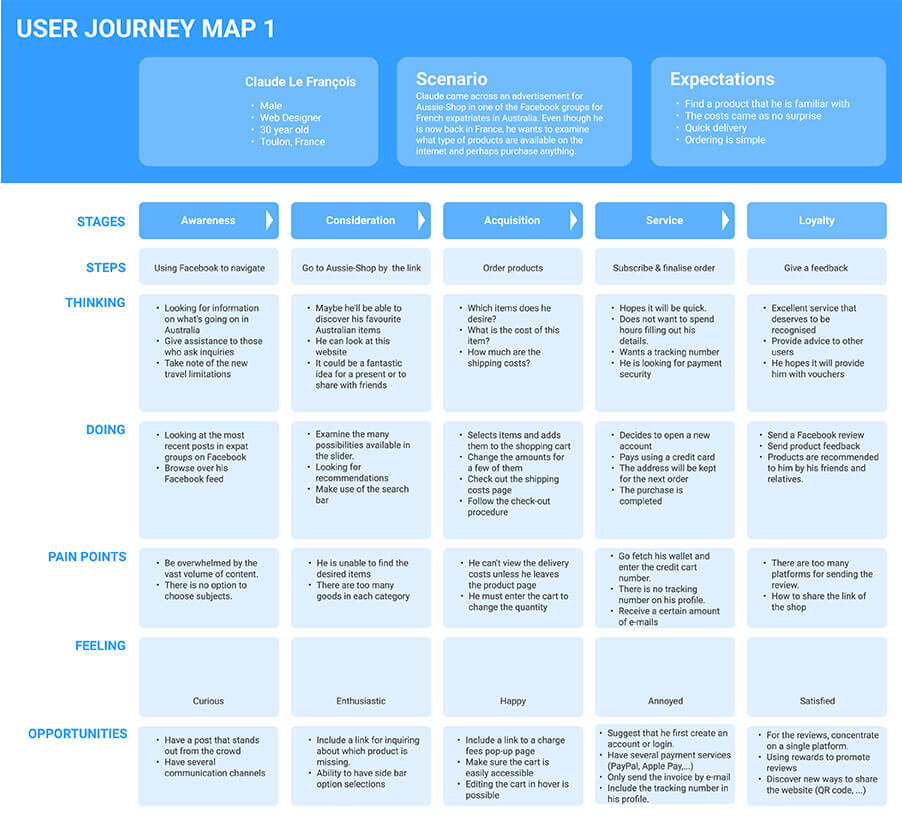
User Journey map 1
Persona 2
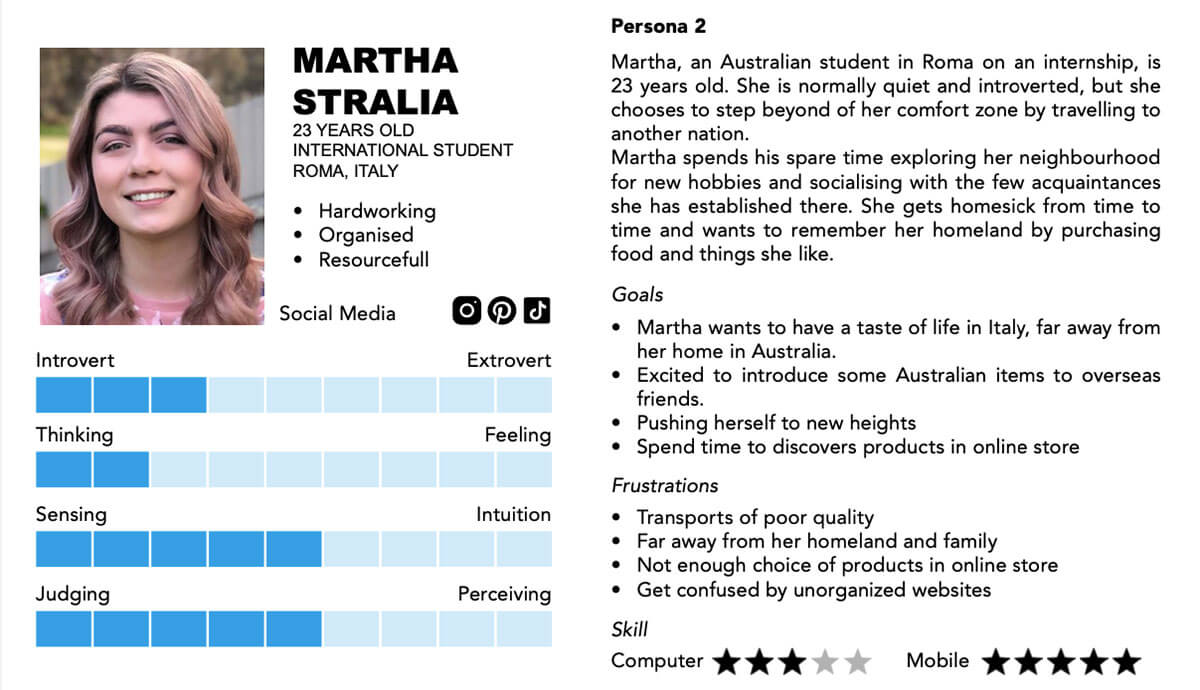
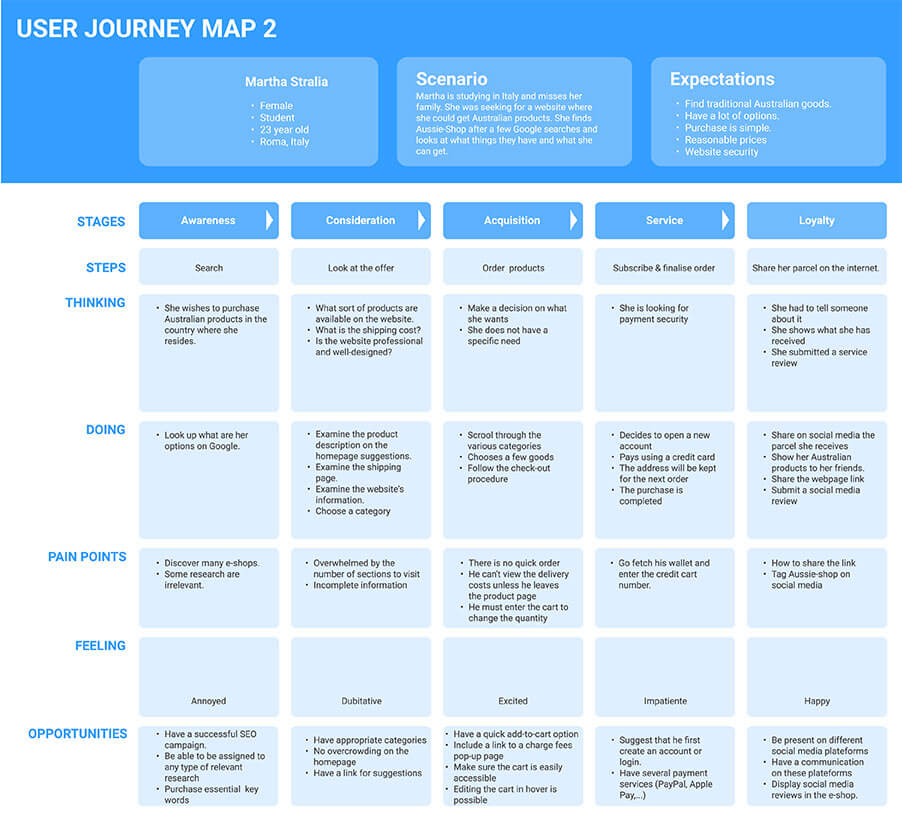
User Journey map 2
Prototype development
Home page
Header and secondary menu
- Logo
- Search bar
- My Account with a pop-up for connection
- Country
- Fixed on the top
Primary menu
- Display Categories
- Pack Category highlighted by disruption
- Fixed on the top
Slider
- Display and advertise products
- Number of the slides displayed in the dots
2 blocs
- Allowed to make links to important pages
Sliders products
- Display specificts products
- Contrasted background for highlight the section of best sellers
- Hover on the image product for access to it directly
- Quick look on the rating
Footer
- None important informations
- Display social media links
- Display page links
- Display Account links
- Display possible payments
- Display website rating
Category page
Title of the category
Breadcrumb
- Allow to navigate trough the sections
Sorting menu
- Sticky menu for allow it to be display all the time
- Allow to select and sorte the products
- Dropdown menu for more visibility
Products
- Display based on the sorted options
- Hover on the image product for access to it directly
- Possibility to add to the cart quickly
- QUick look on the rating
Product page
Image bloc
- Display different images of the product
- Possibility of zoom
- + icon for see all the images
Order bloc
- Sticky bloc always visible
- Display the price
- Display the rating and a link to see it
- Possibility to change the quantity
- Add to the cart button contrasted
- Link to the shipping fees
Description of the product
Allergies icons
- Allow to see if the products can suite to some allergies
- Hover display the legend
Quick button
- Anchors linked to the section of the page
- Allow you to navigate to the information needed
Reviews section
- Anony comments
- Display a rating with stars
- Display several review on the product only
Create account page
Divided on sub-form
- More comfort for display
- Show clearly which informations is used
- Place holder inside the form
- Star to indicate mandatory fields
Payments options
- Choice of selection
- Form adapted to the paymeny
Buttons
- Contrasted for showing the most important one
User flow
User 1
Claude is visiting Aussie-Shop for the first time and looking at the products to buy.
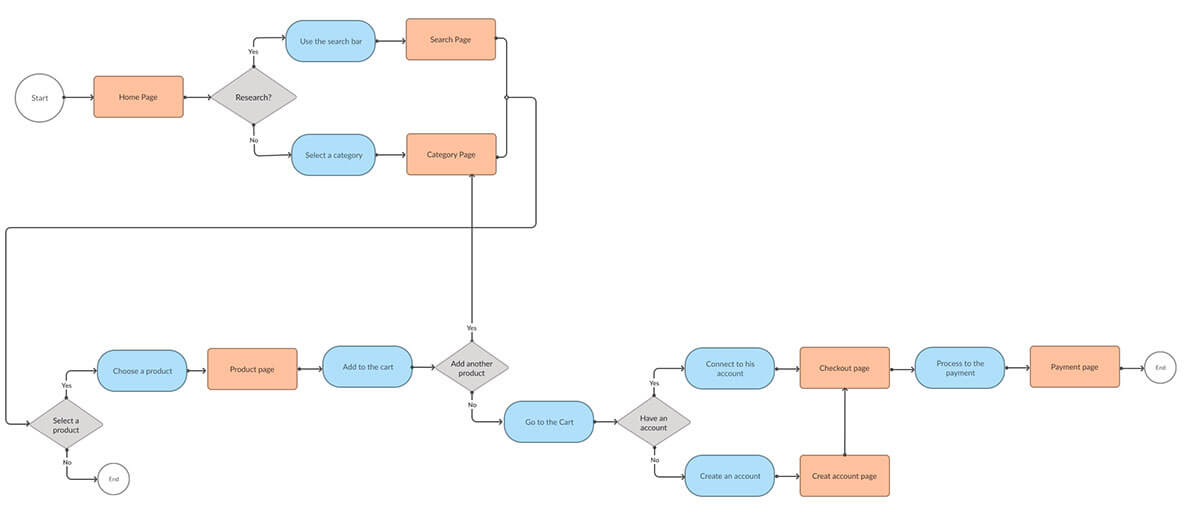
User 2
Martha is a regular user of Aussie-Shop and want today order again.